Two weeks ago I made the first commit on a screen recorder. Today it is at version 1.0.2, with 419 commits, 158 merged pull requests and more than 200 tests.
Several Claude Code agents wrote the Swift, often 3 or 4 at once. My job was the part I already know: deciding what the product should be, breaking it into work and checking that every change felt right.
What RecordStudio does
RecordStudio records your screen and turns it into a video people can follow. Every click becomes a smooth zoom, the video sits framed on a background and captions are written on your Mac from what you said.
I wanted it because product walkthroughs take me an evening to edit. The tools that automate this upload your screen to a server, and screen recordings show your mail, your code and your customers. RecordStudio keeps everything in the Movies folder.
The first version lasted a morning
The first commit was a Tauri app: a web interface inside a native shell. By the afternoon of the same day it was rewritten as a native Swift and SwiftUI app.
That decision was cheap to make because rewriting was cheap. With agents writing the code, the cost of trying a direction and throwing it away dropped to a few hours. I think that is the biggest change in how I work now. I commit to directions later, after I have seen them running.
One board, many agents
Working with one agent at a time stopped scaling fast. So I moved all planning onto a GitHub Project board and wrote down a short set of rules every agent follows.
Each issue says how urgent it is, how big it is and which part of the app it touches. The rule that mattered most: only one agent works on any part of the app at a time. That kept agents out of each other's files, so several could run in parallel without stepping on each other.
Every agent picks its next issue from the board, works on its own copy of the code and opens a pull request when it is done.
Agents check their work in the running app
Tests catch logic. They do not tell you whether a sheet looks cramped or a zoom feels abrupt.
So for any interface change, an agent builds the app, opens it and walks through the change the way a person would, taking screenshots as it goes. Whatever it could not reach, it notes in the pull request for me.
Where design actually happened
I spent most of my time reviewing pull requests in the running app and writing issues about what felt wrong.
Around day 3 the app looked like stock macOS with no identity. I settled a direction: calm and precise, like a pro tool. Graphite everywhere, and a single red dot, which is the only colour in the interface and means recording. Exports get branded defaults with no watermark.
Other decisions only showed up in review, when I saw a change running and it did not feel like the rest of the app.
Some screens took several rounds. I would use a flow, notice what felt off and send it back. Those fixes came from using the app every day, and no spec would have predicted them.
One renderer, one truth
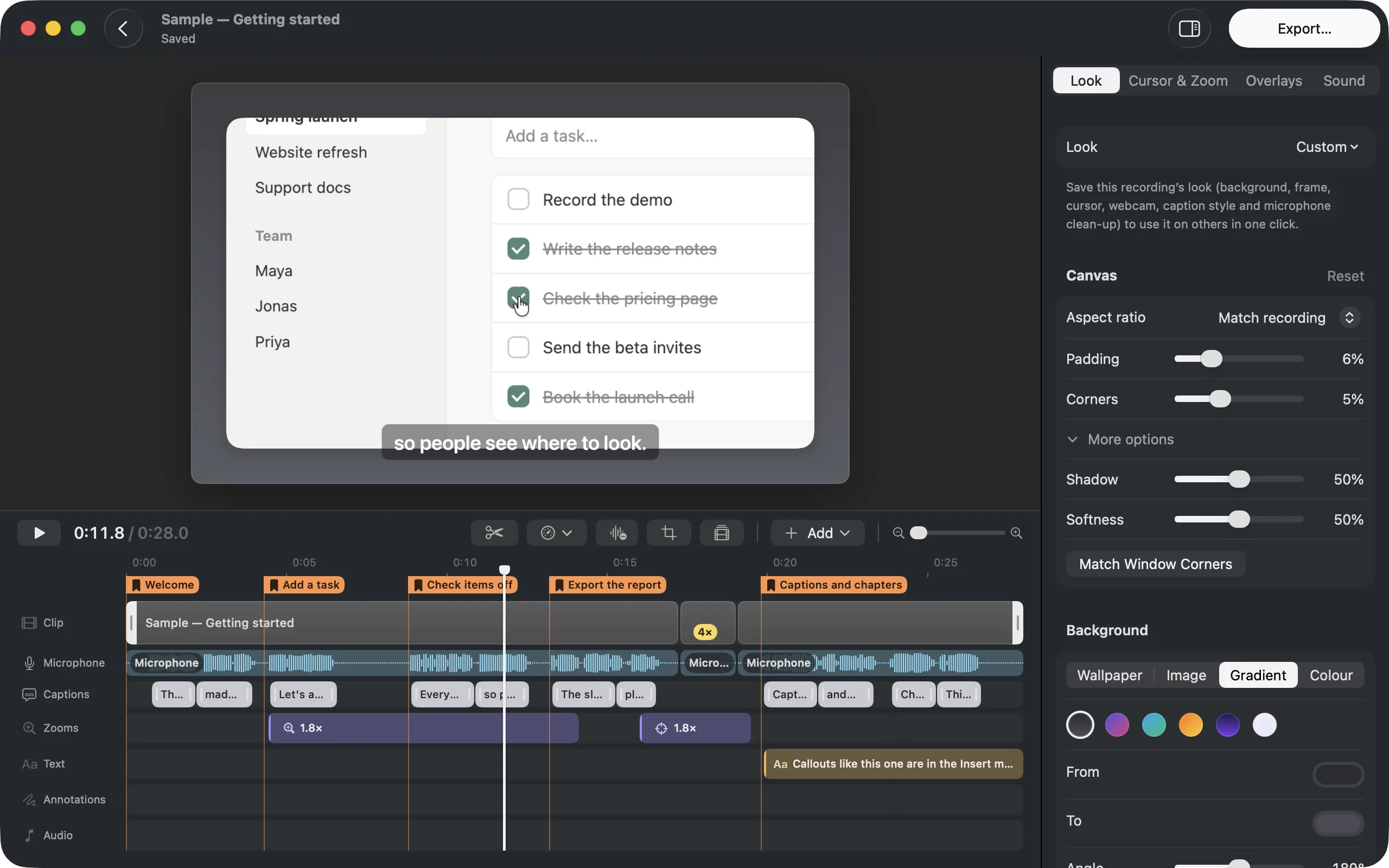
One rule from the start: the preview and the export draw frames with the same renderer. A change to how something looks has to look the same in both.
For a designer this is the most important technical decision in the app. What you see in the editor is what people watch. I never had to wonder whether a fix in one place had broken the other.
What I would tell another designer
Write the process down early. The board and its rules did more for quality than any single prompt. Agents follow written rules well; they follow rules you only have in your head badly.
Review in the running product. Screenshots and diffs hide how something feels.
Keep scope per change small. One issue, one branch, one pull request. Small changes are easy to check, and checking is where your taste goes in.
RecordStudio is free and open source. You can download it here if you are on macOS 26.
