RecordStudio.
RecordStudio is a native macOS app that turns a screen recording into a video people can follow. It zooms in where you click, frames the video on a background, writes captions from what you said and exports MP4, HEVC, WebM or GIF. I designed it and built it in two weeks, with a small team of AI agents working through a shared board.
Product walkthroughs are easy to record and slow to make watchable. Cropping, zooming in on clicks, cutting the waiting and adding captions usually takes an evening, and the tools that automate it upload your screen to someone else's server.
Product, design and engineering direction. I planned the work as issues on a GitHub board, set the design rules and checked every change in the running app. Claude Code agents wrote the Swift.
Shipped version 1.0 five days after the first commit, and 1.0.2 thirteen days in
158 pull requests merged across about 150 issues, planned on one board and built by parallel Claude Code agents
A recording becomes a shareable video with zooms, captions and chapters before the editor even opens
Everything runs on the Mac: no accounts, no telemetry, no uploads, captions made on-device
Viewers Look Where You Clicked
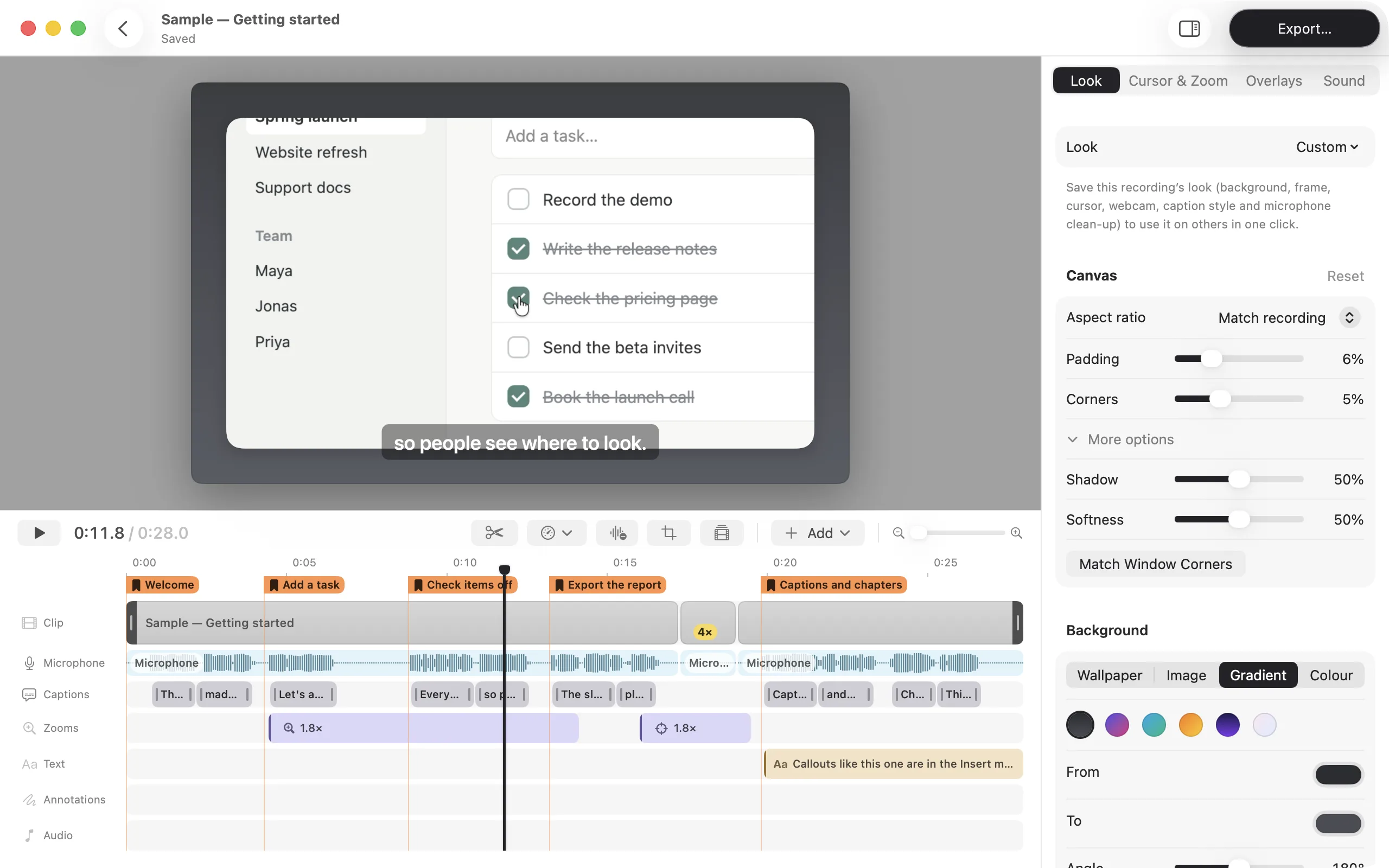
Every click becomes a smooth zoom toward it, and the camera eases back out when you move on. A wide screen shown on a phone stays readable because the part that matters fills the frame. The zooms are already in place when the recording opens, so the first edit is usually a small adjustment instead of a blank timeline.
Editing That Starts Finished
Trim the start, play a slow step four times faster and add captions written on your Mac from what you said. Chapters mark each step. The original recording is never changed, edits save automatically, and a Next steps card walks first-time users through trimming, captions and text.
One Renderer for Preview and Export
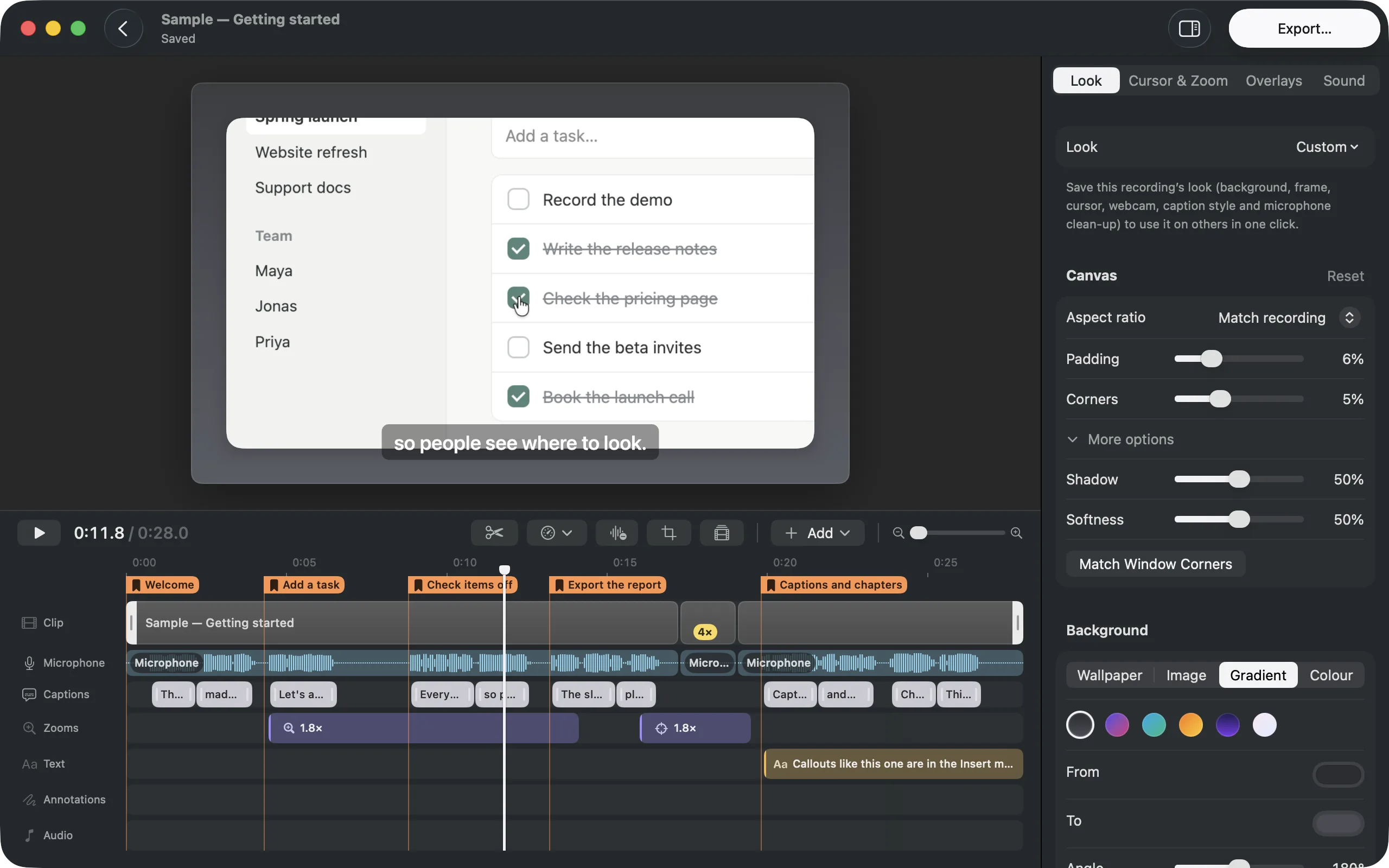
The preview and the export draw every frame with the same renderer. That was a design decision as much as an engineering one: what you see in the editor is exactly what people will watch, in light and dark mode alike. It also meant every visual change could be checked once and trusted in both places.
Export for Where People Watch
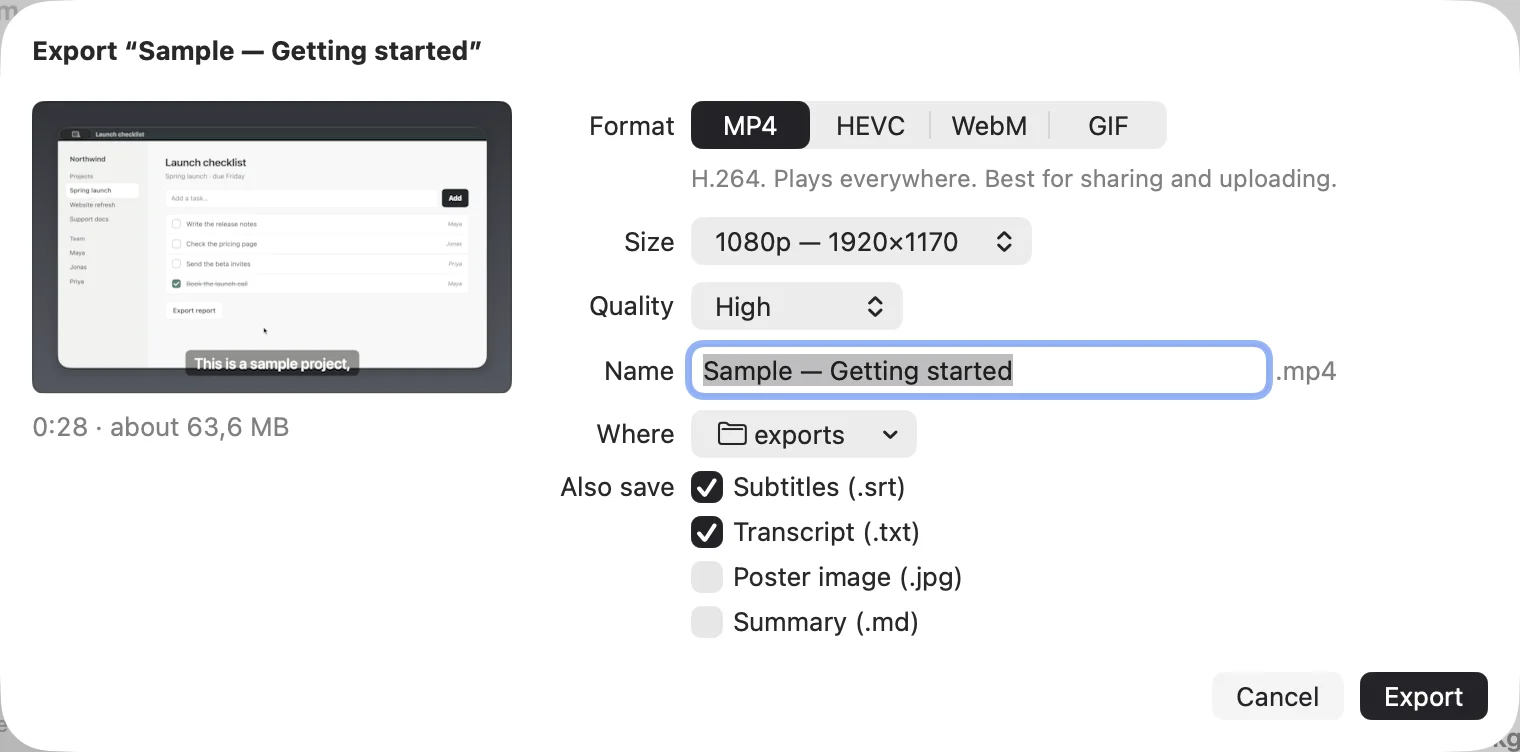
MP4 for chat and the web, HEVC when size matters, WebM, or a GIF for a pull request. Subtitles, a transcript and a poster image can come along. One shortcut, one window, one button.
Calm, Precise, Local
The brand direction was calm and precise: graphite and a single red dot, branded export defaults and an app that teaches its own features. RecordStudio is free, open source and keeps everything in your Movies folder. The way it was built, with agents claiming issues and lanes on a shared board, is a story of its own, written up on the blog.